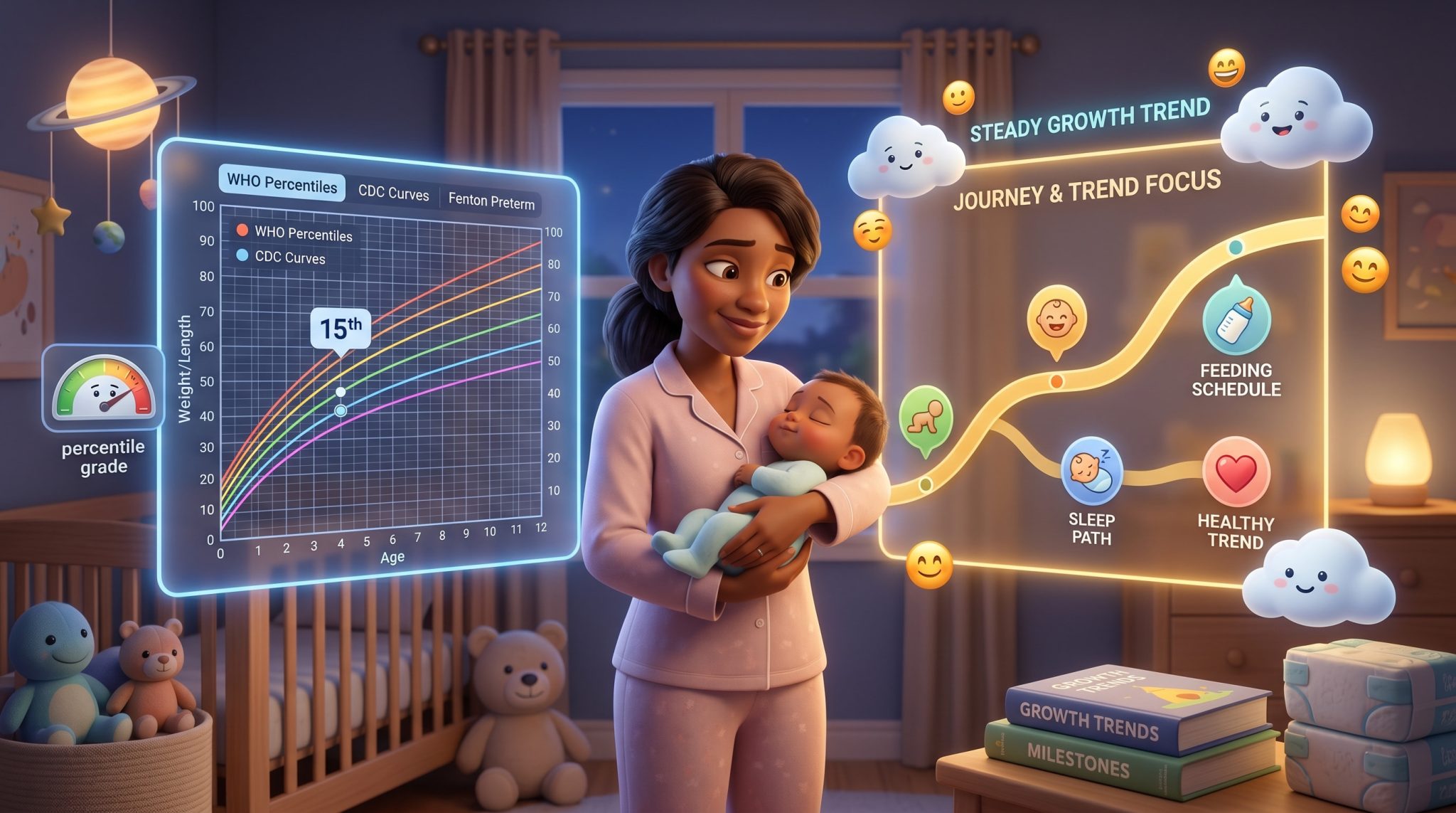
The best baby growth tracking apps in 2026 do not all do the same thing: some plot WHO and CDC percentile curves, some add Fenton charts for premature babies, and a few skip percentile graphs on purpose and keep the focus on the trend instead.
Every app promises to “track your baby’s growth”, but the number it hands back depends entirely on which growth chart it uses, and a percentile is very easy to read as a grade when it was never meant to be one. The 30th percentile is not a worse score than the 70th. It is a position on a curve, and the curve only means something once you can see where your baby has been over time.
We compared the baby growth tracking apps parents actually use in 2026, checked current pricing and platforms against each product’s own listings, and ranked them by who they genuinely fit, not by who markets the loudest.
Key Takeaways
Baby growth tracking apps fall into three groups: dedicated percentile-chart apps, all-in-one trackers with growth built in, and tools that track growth and milestones but skip percentile graphs to keep the focus on the trend.
Betteroo is best for following your baby’s unique growth without comparison anxiety. GrowthKit is best for precise WHO percentiles. Child Growth Tracker is best for preemies. Growth: baby & child charts is best for a no-subscription chart tool.
There is no single best baby growth tracking app for every family. It depends on whether you want percentile charts, preemie charts, or context for the worry behind the numbers.
A growth chart is a tool, not a grade. The trend over time matters far more than any single percentile, and a steady curve low on the chart is usually a healthy curve.
Table of Contents
The Short Version: Best Baby Growth Tracking App Picks
Best for your baby’s unique growth, without comparison anxiety:Betteroo
Best for precise WHO percentiles and doctor-ready reports: GrowthKit
Best for preemies and multiple chart standards: Child Growth Tracker
Best for a no-subscription, no-account chart tool: Growth: baby & child charts
Best for growth charts inside a full daily tracker: Tinylog
Best for growth logged alongside sleep: Huckleberry
How We Evaluated Baby Growth Tracking Apps
Which growth standard it uses. The WHO standard, the CDC reference and the Fenton preterm charts can each return a different percentile for the exact same baby. We checked which charts each app uses, because that choice changes the number on the screen.
Preterm support. Babies born early need corrected age and, ideally, Fenton charts, or a standard chart will make a healthy preemie look concerning. We noted which apps handle this properly and which do not.
Pricing transparency. We verified every price and tier against each product’s own site or app store listing. Free apps that are genuinely free, and paid tiers that quietly gate the useful parts, are both noted as such.
What it does with the data. Some apps plot a curve and stop there. Some add velocity and trends. A few connect growth to feeding, sleep and milestones so the number has context. We weighted apps that reduce worry, not just record measurements.
Honesty about limits. A growth chart is not a diagnosis, and no app replaces a pediatrician weighing your baby. We noted where each app stops, because a percentile read in isolation causes more anxiety than it resolves.
We also looked at several one-off web percentile calculators and left them out, because a tool that does not keep a history cannot show you the one thing that matters most, which is the trend.
What to Look for in a Baby Growth Tracking App
The right chart for your baby’s age. Pediatric guidance in the United States uses the WHO growth standard for children under two and the CDC reference from age two onward1, and preterm babies are best followed on Fenton charts using corrected age. An app that quietly uses the wrong chart for your baby’s age can show a percentile that looks alarming when nothing is actually wrong.
The trend, not the dot. A single percentile tells you almost nothing. What matters is the line: is your baby tracking steadily along their own curve, or has it changed direction sharply? The best baby growth tracking apps make the trend the main view and the single number a detail.
A way to share with your pediatrician. The most useful thing a growth app does is travel to the next appointment. A PDF export, a chart you can screenshot, or a clean data file all work. Raw numbers in a spreadsheet do not.
Growth, feeding and sleep are also more tangled than a single chart suggests, especially in the early months. If you are weighing whether you want a dedicated growth app or a fuller picture, our roundup of the best baby tracker apps, the guide to the best feeding tracker apps and best newborn tracking apps all cover where growth fits alongside everything else.
What Most Growth Trackers Miss: You
Most growth tracking apps hand you a percentile and walk away. The dot lands on the chart, the app says nothing, and the work of deciding whether that dot is good news, bad news or no news at all falls entirely on you, usually late at night, usually on no sleep.
That gap is where a lot of unnecessary worry lives. A percentile is a comparison to other babies, not a verdict on yours. And childhood height is substantially heritable2, so a baby tracking steadily along the 15th percentile is often simply following the pattern their own parents’ growth set, not signaling a problem. Two healthy babies can sit on very different curves and both be exactly where they should be.
The growth trackers worth your time are the ones that account for the parent reading the number, not just the number itself. How worried are you already? How much does a low percentile spiral in your head at 11pm? A chart that gives you a figure with no context is not support. Support is something that puts the figure in its place, connects it to feeding and sleep, and tells you when a trend genuinely warrants a call to your pediatrician and when it simply does not.
Best Baby Growth Tracking Apps, Compared
Baby Growth Tracking Apps in 2026: Feature Comparison
App
Best For
Pricing
Platforms
WHO/CDC percentile charts
Preterm Fenton charts and corrected age
Milestone tracking
Tracks feeding, sleep and diapers too
Personalized plan that adapts
Betteroo
Your baby’s unique growth, without comparison anxiety
Free 3-minute quiz, then plans from $1/day
Web, iOS, Android
Follows your baby’s own curve, not a comparison percentile
No
Yes
Yes
Yes
GrowthKit
Precise WHO percentiles and doctor-ready reports
Free, no account
iOS
Yes
No
No
No
No
Child Growth Tracker
Preemies and multiple chart standards
Free version, Pro one-time purchase, about $5.99
iOS, Android
Yes
Yes
No
No
No
Growth: baby & child charts
A no-subscription, no-account chart tool
Free, optional one-time upgrade, no subscription
iOS
Yes
Yes
No
No
No
Tinylog
Growth charts inside a full daily tracker
Free core, All Access $9.99/mo or $69.99/yr
iOS, Android
Yes
Yes
Yes
Yes
Partial, AI care plans
Huckleberry
Growth logged alongside sleep
Free tier, Plus $11.99/mo or $68.88/yr, Premium $14.99/mo
iOS, Android
Partial, basic chart
No
Partial, limited
Yes
Partial, paid sleep plans
Top Pick
Betteroo
Best for your baby’s unique growth, without comparison anxiety
Free 3-minute quiz · plans from $1/day
! WHO/CDC percentile charts (follows your baby’s own curve, not a comparison percentile)
Betteroo (Growth and Development, Built Around Your Baby)
Full transparency: Betteroo is our product, so we’ve included it here for comparison but encourage you to evaluate it alongside the other options.
Betteroo tracks your baby’s growth and milestones, and it logs feeding, diapers and sleep in the same place, so every measurement sits in the context of your baby’s whole day. You can log it all just by talking, with voice tracking included free in every plan. And it goes a step further than any logger here: from a free 3-minute quiz, Betteroo builds a personalized plan that adapts as your baby grows, so the numbers you record turn into developmentally informed support you can actually act on, not just a record you have to interpret alone.
Here is the deliberate difference. Betteroo follows your baby against their own curve, not a percentile ranking against every other baby. A percentile chart is, by design, the most generalized view of growth there is, and a baby’s growth is shaped heavily by their own genetics and their own developmental profile. So Betteroo keeps the focus on whether your baby’s individual trend is steady and whether feeding and sleep are on track, and pairs it with guidance that is compassionate, flexible and sustainable rather than one more generic chart to decode. It is built to lower the anxiety that comparison creates, and to support the way your specific baby is actually growing and developing.
To be clear about the trade-off: Betteroo does not plot WHO or CDC percentile curves, and it does not have Fenton charts for preterm babies. If you specifically need those, for example because your pediatrician asked you to follow a preemie’s percentiles closely, pair Betteroo with a dedicated chart app or use your pediatrician’s chart. And because it is a subscription, it is not the choice if you only want a free logger.
Best for: parents who want to support their baby’s unique development, with a steady trend and a personalized plan they can actually act on instead of a comparison percentile to worry over.
What to know: it deliberately follows your baby’s own curve rather than plotting WHO or CDC percentiles, has no Fenton preterm charts, and it is a paid subscription.
Tired of comparing your baby to a chart?
Betteroo tracks your baby’s own growth, feeding and sleep, and turns it into a personalized plan that supports how your baby is actually developing, with no percentile spiral required.
Best for precise WHO percentiles and doctor-ready reports
Free · no account, iPhone and iPad
✓ WHO/CDC percentile charts
✗ Preterm Fenton charts and corrected age
✗ Milestone tracking
✗ Tracks feeding, sleep and diapers too
✗ Personalized plan that adapts
GrowthKit (Precise Percentiles, Doctor-Ready)
GrowthKit is a focused growth chart app that does one job and does it cleanly. It plots weight, height and head circumference against WHO and CDC standards, gives you the exact percentile at each point rather than just a band, and adds growth velocity so you can see how fast your baby is growing month to month. For children aged two and up it also calculates BMI percentile.
Its standout feature is the doctor-ready PDF report: one tap produces a full growth history with charts and velocity, formatted for an actual appointment. It is free, needs no account, works offline and keeps all data on your device, which is a genuinely strong privacy position. The catches are that it is iPhone and iPad only, there are no Fenton preterm charts, and it does nothing beyond growth, so it will not log a feed or a nap.
Best for: iPhone families who want accurate WHO and CDC percentiles and a clean report to bring to the pediatrician, with nothing else attached.
What to know: it is iOS only, has no preterm Fenton charts, and tracks growth only, so it is not a full baby tracker.
Child Growth Tracker is the pick when you want options. It supports more than a dozen chart standards from around the world, including WHO, CDC, combined WHO-CDC curves and, importantly, Fenton preterm charts with corrected age. For a parent of a premature baby, that last part is the whole ballgame, because a standard chart can make a healthy preemie look like a problem.
It runs on both iOS and Android, needs no account, and the free version is generous: unlimited children with local storage, the core chart standards, corrected age, growth projection, CSV import and export, and PDF reports. The Pro version, a one-time purchase of about $5.99, adds more cloud backup, wider sharing, every chart standard and removes ads. It is squarely a chart tool, though, so it does not track feeding, sleep or milestones.
Best for: preemie parents, and anyone who wants corrected age, Fenton charts and a wide choice of international growth standards on either platform.
What to know: it is a dedicated chart app, so it does not log feeds, sleep or milestones, and the full set of chart standards sits in the paid Pro version.
Growth: baby & child charts
Best for a no-subscription, no-account chart tool
Free · optional one-time upgrade, no subscription
✓ WHO/CDC percentile charts
✓ Preterm Fenton charts and corrected age
✗ Milestone tracking
✗ Tracks feeding, sleep and diapers too
✗ Personalized plan that adapts
Growth: baby & child charts (No Account, No Subscription, Built to Last)
Growth has been on the App Store since 2010, and it shows in the best way: it is simple, stable and asks nothing of you. No account, no password, no subscription. It plots weight, height and head circumference on WHO, CDC and Fenton charts, calculates exact percentiles and BMI, supports corrected age for preemies, and lets you compare siblings on the same chart.
The core app is free and you can use it forever, with an optional one-time upgrade for unlimited children and BMI charting. Your data exports cleanly to CSV, PDF or image, and you choose where it is stored. The two real limits are that it is iPhone only, and that it is purely a chart app, so it will not touch feeding, sleep or milestones.
Best for: iPhone parents who want a private, no-account growth chart tool with no subscription and no upsell pressure, that will still be there in five years.
What to know: it is iOS only and chart-only, so there is no feeding, sleep or milestone tracking and nothing that interprets the curve for you.
Tinylog
Best for growth charts inside a full daily tracker
Free core · All Access $9.99/mo or $69.99/yr
✓ WHO/CDC percentile charts
✓ Preterm Fenton charts and corrected age
✓ Milestone tracking
✓ Tracks feeding, sleep and diapers too
! Personalized plan that adapts (AI care plans)
Tinylog (Medical-Grade Charts Inside a Full Tracker)
Tinylog is a full daily baby tracker, covering feeding, sleep, diapers and pumping, with one of the better growth chart features built in. It plots weight, length and head circumference on both WHO charts and Fenton preterm charts with percentile overlays, which is rare in an all-in-one app, and it adds AI insights and trend analysis on top.
The free core covers everyday tracking. The All Access plan, at $9.99/mo or $69.99/yr, unlocks the WHO and Fenton growth charts, caregiver sync, AI care plans and deeper trend analysis. If you want growth tracking that lives in the same place as the rest of your baby’s day, and especially if you have a preemie, Tinylog is a strong choice. The growth charts are behind the paywall, though, so the genuinely useful version is the paid one.
Best for: parents who want WHO and Fenton growth charts inside a full feeding and sleep tracker rather than as a separate app.
What to know: the growth charts and the most useful features sit on the paid All Access plan, not the free core.
Huckleberry
Best for growth logged alongside sleep
Free tier · Plus $11.99/mo or $68.88/yr · Premium $14.99/mo
! WHO/CDC percentile charts (basic chart)
✗ Preterm Fenton charts and corrected age
! Milestone tracking (limited)
✓ Tracks feeding, sleep and diapers too
! Personalized plan that adapts (paid sleep plans)
Huckleberry (Growth Logged Alongside Sleep)
Huckleberry is best known as a sleep app, and that is the lens to view its growth tracking through. It logs weight, length and head circumference alongside feeds and sleep, and it plots them on a basic growth chart. If you are already using Huckleberry for its SweetSpot nap and bedtime predictions, having growth in the same app is convenient.
As a dedicated growth tool, though, it is the lightest option here. The growth chart is basic, there are no Fenton preterm charts, and the useful sleep features that justify the price sit on the paid tiers, with Premium at $14.99/mo making it the most expensive app in this roundup. You are really paying for sleep and getting growth logging alongside it.
Best for: parents already using Huckleberry for sleep who want to log growth in the same place without adding another app.
What to know: the growth chart is basic with no preterm charts, and the price is really for the sleep features, not the growth tracking.
So Which Is the Best Baby Growth Tracking App for Your Family?
There is no single best baby growth tracking app for every family. It depends on what you are actually trying to solve.
If you want to support your baby’s unique development without ranking them against a chart:Betteroo. It follows your baby’s own trend, ties it to feeding and sleep, and gives you a personalized plan you can act on.
If you want precise percentiles and a clean report for the pediatrician:GrowthKit, as long as you are on an iPhone.
If your baby was born premature:Child Growth Tracker or Growth: baby & child charts. Both do Fenton charts and corrected age properly.
If you want no subscription and no account:Growth: baby & child charts, free and built to last.
If you want growth inside a full daily tracker:Tinylog, or Huckleberry if sleep is your main reason for tracking at all.
You May Not Need a Baby Growth Tracking App If…
Plenty of parents do not need one at all. Your pediatrician already weighs and measures your baby at every well visit and plots it on the same charts these apps use. If your baby is gaining steadily and your doctor is not worried, a growth app at home is optional, not a requirement.
There is also a real downside to tracking growth too closely. Home scales are not very accurate, babies fluctuate day to day, and watching a percentile too often tends to manufacture worry rather than resolve it. If checking the number is making you more anxious instead of less, that is a strong sign to track less, not more, and to let the well visits do the job.
Where a growth app does earn its place is when there is an actual reason to watch closely: a baby who was premature, a documented feeding or weight-gain concern your pediatrician asked you to monitor, or simply wanting an organized record to bring to appointments. If none of those apply, it is genuinely fine to skip it.
What Matters More Than the Tracker Itself
No app makes a baby grow. Whatever you pick, the things that actually matter sit outside the app, and a few are worth keeping in front of mind:
The trend beats the dot. A steady curve low on the chart is healthier than a curve that swings around in the middle.
Your pediatrician’s measurements are the reference. Home tracking supports those visits, it does not replace them.
Growth, feeding and sleep are connected, so a growth question is often really a feeding and sleep question in disguise.
If the number is stressing you out, that is the app telling you to check it less often.
The best baby growth tracking app, in the end, is the one that leaves you calmer and better informed, not the one that gives you the most graphs to refresh. If tracking growth has started to feel like a source of worry rather than reassurance, the most useful thing an app can do is put the number in context, or quietly get out of your way.
Frequently Asked Questions
What is the best free baby growth tracking app?+
GrowthKit is the standout free option if you have an iPhone, with WHO and CDC percentile charts and doctor-ready PDF reports at no cost. Child Growth Tracker and Growth: baby & child charts both have genuinely usable free versions too, and Child Growth Tracker runs on Android as well. All three are dedicated chart apps, so none of them log feeding, sleep or milestones.
Do baby growth tracking apps actually help?+
They help most when there is a real reason to watch closely, like a preemie or a weight-gain concern your pediatrician asked you to monitor, or when you simply want an organized record for appointments. What they do not do is replace your pediatrician’s measurements, and checking a percentile too often tends to create worry rather than settle it. A growth app is useful as a support to well visits, not a substitute for them.
Should the app use WHO or CDC growth charts?+
In the United States, the WHO growth standard is recommended for children under two and the CDC reference from age two onward. Premature babies are best followed on Fenton charts using corrected age. It matters because the same measurement can land on a different percentile depending on the chart, so an app that uses the wrong one for your baby’s age can look more alarming than it should.
Is a low percentile something to worry about?+
Usually not on its own. A percentile is a comparison to other babies, not a grade, and childhood height is strongly influenced by genetics, so a baby tracking steadily along the 10th or 15th percentile is often just following their family pattern. What pediatricians actually watch is the trend: a curve that is steady, even if it is low, is generally reassuring, while a sharp change in direction is the thing worth a conversation.
What is the best growth tracking app for a premature baby?+
For a preemie you want Fenton charts and corrected age, and most apps do not include them. Child Growth Tracker and Growth: baby & child charts both handle Fenton charts and corrected age well, and Tinylog includes WHO and Fenton charts inside a full daily tracker. A standard chart without corrected age can make a healthy premature baby look concerning, so this feature genuinely matters.
Can I use more than one growth tracking app?+
You can, but it usually is not worth it. Entering the same measurements in two apps doubles the work and splits your history, so neither one shows the full trend. If two apps use different chart standards you can also end up with two slightly different percentiles for the same baby, which is a recipe for confusion. Pick one and let it hold the whole record.
When should I start tracking my baby’s growth, and do I have to?+
There is no rule that you have to track growth at home at all. Your pediatrician measures and plots your baby at every well visit, which is the reference that counts. Some parents like keeping their own record from the newborn weeks, others start only if a doctor flags something to watch, and plenty never track it themselves. If home tracking is making you calmer, it is worth doing. If it is making you anxious, it is fine to stop.
Final Take: A Growth Chart Is a Tool, Not a Grade
The best baby growth tracking app is not the one with the most charts or the most precise percentile to the decimal. It is the one that leaves you better informed and calmer than before you opened it. For some families that is a clean WHO chart and a PDF for the pediatrician. For preemie parents it is Fenton charts and corrected age done properly. For others it is skipping the percentile graph entirely and watching the trend, the feeding and the sleep instead.
There is no universal winner here. GrowthKit and Growth: baby & child charts are excellent dedicated chart tools. Child Growth Tracker is the one to reach for with a premature baby. Tinylog folds medical-grade charts into a full tracker. Betteroo is the pick if you want to support your baby’s unique development, following their own curve with a personalized plan instead of a percentile to worry over. The better question is not “what percentile is my baby” but “is my baby’s own curve steady, and do I have the context to read it calmly”.
Want growth tracking that calms you down, not winds you up?
Betteroo’s free 3-minute quiz builds a personalized plan from your baby’s growth, feeding and sleep, built around your baby’s unique development instead of a percentile to second-guess.
Grummer-Strawn, L.M., Reinold, C., & Krebs, N.F. (2010). Use of World Health Organization and CDC Growth Charts for Children Aged 0-59 Months in the United States. MMWR Recommendations and Reports, 59(RR-9), 1-15.https://pubmed.ncbi.nlm.nih.gov/20829749/
Dewau, R., Boomsma, A., Doyle, C., Byrne, S., Hyppönen, E., Lee, S.H., & Benyamin, B. (2025). Meta-Analysis of the Heritability of Childhood Height From 560,000 Pairs of Relatives Born Between 1929 and 2004. American Journal of Human Biology, 37(1), e24188.https://pubmed.ncbi.nlm.nih.gov/39564936/